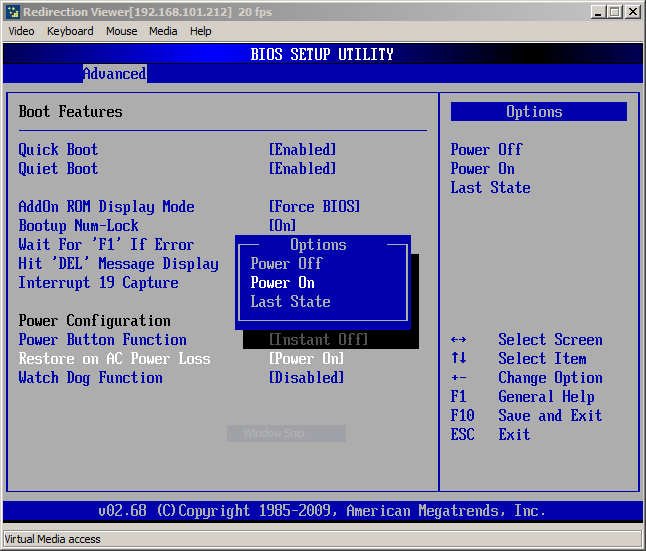
How do I set BIOS for auto restart after power failure
12
Posts
3.7k
Views
Reply
I need to know too, I have three units
I have the same requirement. Did anybody work out how to set re-start after power failure. Thanks
Did you search with Google?
Inside BIOS menu, look under the following menus to find for a setting named “Restore on AC/Power Loss” or “AC Power Recovery” or "After Power Loss" .
https://www.technewsworld.com/story/how-to-configure-windows-to-auto-restart-after-a-power-failure-177101.html
I found the solution to this problem. Should anyone else need it:
BIOS/AMD CBS Option/FCH Common Options/AC Power Loss Options.
@Peter Johnston Thanks Peter, this worked on my Trigkey S5.
@Peter Johnston Hi , thanks for posting , I am using a Trigkey G4 and I cannot find any of the text you posted above , in the boot menu ? I want to set the PC to boot after a power outage ?
Also on Trigkey G4 and nothing related to AC power Loss. Need to have that feature or the computer is not really usefull for my need...
@Nicolas Gravel
on the G4 it's "Chipset > PCH-IO Configuration > State after G3".
set it as S0 which means boot up after G3 (power applied), if you select S5, it will not boot up until a power button is used.
@J reid
on the G4 it's "Chipset > PCH-IO Configuration > State after G3".
set it as S0 which means boot up after G3 (power applied), if you select S5, it will not boot up until a power button is used.
@Peter Johnston Worked perfect. Thank you.
@Peter Johnston : super, thanks so much. It's deeply hidden in the menu structure, would not have been able to find without this suggestion